For pure reading, an e-ink device wins on eye comfort — no backlight, matte screen, days of battery. If you also want apps, audiobooks, and video on the same slab, a real tablet is the better buy. Our overall pick for a reading-first tablet is the iPad ($449); the best value is the Fire HD 10 ($72.99); and if your eyes are the whole reason you're shopping, skip tablets and get the Boox Palma 2 Pro ($399.99), an e-ink reader that still runs Android apps.
Almost every "best tablet for reading" list ranks an iPad against a Kindle as if they're the same kind of thing. They're not, and that one distinction decides your purchase. So this is split by screen type first, ranked within each — and because this is a text-to-speech site, every pick also answers the question a Wirecutter list never does: can it read your books aloud?
E-Ink vs LCD: Decide This Before Anything Else
Two completely different devices get called "tablets for reading," and they're good at opposite things.
E-ink (Kindle, Kobo, Boox) reflects light like paper instead of shining it at you. It's the clear winner for long reading sessions and for anyone whose eyes burn after an hour on a screen. The trade: refresh is slow, color is poor or absent, and most e-ink devices do little besides read. LCD/OLED tablets (iPad, Fire, Android) are the opposite — brilliant color, full app stores, video, audiobooks, web — but they're backlit, so they're harder on the eyes over a long stretch and the battery lasts hours, not weeks.
Simple rule: if you'll mostly read, buy e-ink. If you'll read and do a dozen other things, buy an LCD tablet and manage the eye strain with dark mode and a warm night-shift setting. The one device that cheats this split is the Boox Palma 2 Pro — e-ink that runs Android — which is why it leads the e-ink list below.
Best E-Ink Tablets for Reading
1. Boox Palma 2 Pro ($399.99) — the do-everything e-ink pick. A phone-sized e-ink reader (about a 6-inch screen) running full Android. You install any reading app (Kindle, Libby, Kobo), any audiobook app, and any text-to-speech engine — including ElevenReader for natural AI narration of whatever you're reading. It's the only e-ink device that reads any book aloud without catalog or language limits. The cost: it's fussier than a Kindle, battery is days not weeks, and the glare-free panel is monochrome.
2. Kindle Scribe ($499.99) — big e-ink, if you also write. A 10.2-inch e-ink slab with a pen. It reads Kindle books aloud through Amazon's Assistive Reader update and pairs to Bluetooth for Audible. Buy it for the large page and notebook, not for TTS — a $199.99 Paperwhite reads aloud exactly the same way.
3. A plain Kindle or Kobo — if "tablet" was the wrong word. Most people searching for a reading tablet actually want a dedicated e-reader: cheaper, lighter, longer battery, zero distractions. If that's you, don't buy a tablet at all — see our e-reader roundup and the cheapest readers worth buying.
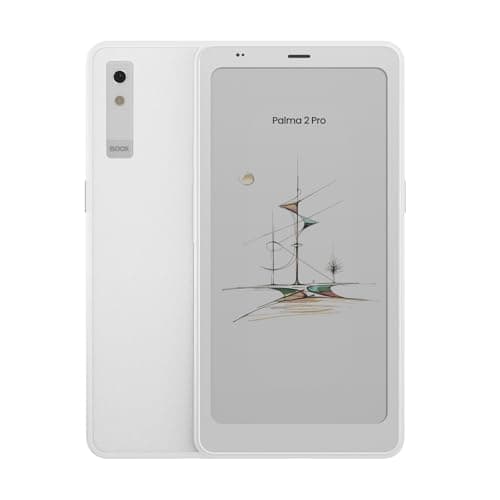
Boox Palma 2 Pro
Phone-sized e-ink reader on full Android — installs any reading, audiobook, or TTS app. The only e-ink device with real, flexible read-aloud.
$399.99 on Amazon as of Oct 25, 2026 · price and availability may have changed
Check price on Amazon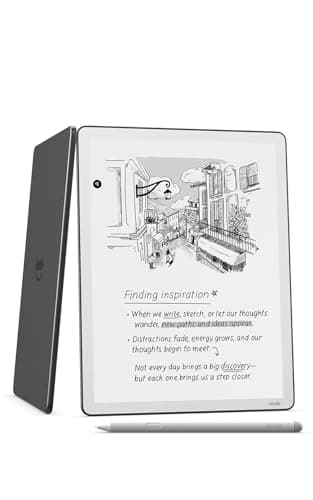
Kindle Scribe
10.2-inch e-ink with a pen. Reads Kindle books aloud via Assistive Reader; buy it for the big page and notebook, not the TTS.
$499.99 on Amazon as of Oct 25, 2026 · price and availability may have changed
Check price on AmazonPrices from Amazon as of Oct 25, 2026 · price and availability may have changed.
Best LCD/OLED Tablets for Reading
1. iPad, 11-inch base model ($449) — the premium reading tablet. Verified at $449 on apple.com (October 2026). The Kindle, Libby, Kobo, and Apple Books apps all run beautifully, it reads any ebook aloud for free through Speak Screen (Settings → Accessibility → Spoken Content), and it does everything else a tablet does. The honest downsides for reading: it's backlit (eye strain on long sessions), heavier than an e-reader, and more than most readers need. Worth it only if you want one device for everything.
2. Fire HD 10 ($72.99) — the value pick, and it's currently cheaper than the smaller Fire HD 8. A 10.1-inch Full HD tablet that runs the Kindle app, Audible, and Libby, with Amazon's Assistive Reader and Alexa read-aloud built in. It's plasticky and the Amazon Appstore is thinner than Google Play, but for a reading-and- audiobooks tablet under a hundred dollars, nothing touches it. (Tablet prices swing constantly — the HD 10 undercutting the $79.99 HD 8 is a current sale, not a permanent rule.)
3. Fire HD 8 ($79.99) — the compact, one-handed option. Same Fire software in an 8-inch body that's easier to hold in bed. Slower than the HD 10 and the screen is only HD, but it's the lightest cheap tablet here and reads aloud the same way.
A budget Android tablet (Samsung Galaxy Tab A, Lenovo Tab) is a fine fourth option if you want Google Play rather than Amazon's Appstore — same backlit-LCD trade-offs, full access to Kindle, Libby, and every TTS app. We don't rank a specific one because the models turn over every few months; check the current listing.
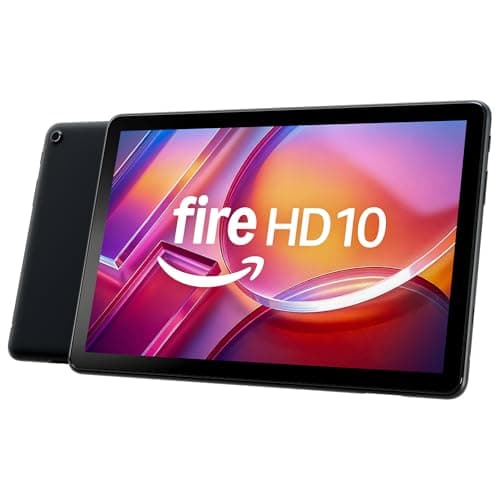
Fire HD 10 tablet
The value pick: 10.1-inch Full HD, runs Kindle/Audible/Libby, Assistive Reader built in. Often the cheapest capable reading tablet going.
$72.99 on Amazon as of Oct 25, 2026 · price and availability may have changed
Check price on Amazon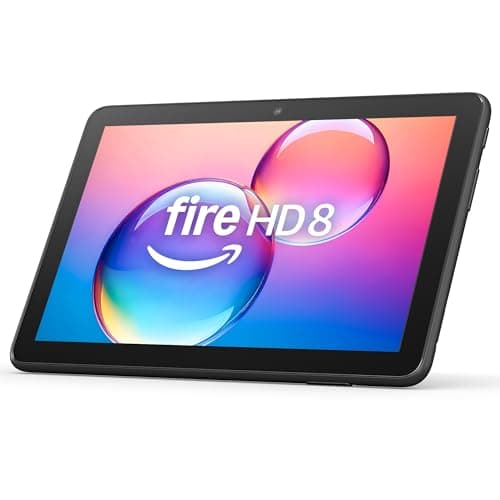
Fire HD 8 tablet
Compact 8-inch Fire tablet — lightest to hold one-handed in bed, same read-aloud features as the HD 10.
$79.99 on Amazon as of Oct 25, 2026 · price and availability may have changed
Check price on AmazoniPad (11-inch, A16)
The premium reading-and-everything tablet — $449 at apple.com (Oct 2026). Reads any ebook aloud free via Speak Screen.
Check iPad price on AmazonAffiliate link — TextToLab may earn a commission at no extra cost to you.
Best for Tired Eyes and Night Reading
If eye comfort is the reason you're shopping, the answer is e-ink, full stop. There's no backlight firing photons into your retina — the screen reflects room light like paper, and the front-light (on any modern Kindle, Kobo, or Boox) can be dialed to a warm amber for reading in a dark room without the blue-white glare that keeps you awake.
If you've already decided you want an LCD tablet for other reasons, you can blunt the fatigue: turn on dark mode in your reading app, enable the OS night-shift/warm-tone schedule, drop brightness to match the room (a too-bright screen in a dim room is what actually strains eyes), and consider a matte screen protector to kill reflections. It won't equal e-ink, but it makes a backlit tablet tolerable for an evening chapter.
One Device for Reading and Audiobooks
This is where tablets pull ahead of dedicated e-readers. Any tablet here — iPad, Fire, Android, or the Android-based Boox — runs Audible, Libby, Spotify, and the Kindle app side by side, so you can read a chapter and then switch to the narrated version on the same device. Amazon's Whispersync for Voice even syncs your place between the Kindle ebook and the Audible audiobook.
For the text-to-speech side — having the device read an ebook you already own aloud — the iPad (Speak Screen) and any Android tablet or Boox (Select to Speak, or ElevenReader for far better voices) do it for free. Fire tablets read aloud through Assistive Reader and Alexa. If audiobooks are mostly what you want, though, the cheapest path isn't more hardware — it's a free trial.
Mostly Want to Listen? Start Free Before You Buy Hardware
If it turns out you want narration more than reading, you may not need a pricey tablet at all. Audible's 30-day trial includes a credit for any audiobook — yours to keep even if you cancel — so you can hear a professional narrator on a book you actually want first. Prefer flipping between reading and listening? Kindle Unlimited's free trial bundles thousands of read-and-listen titles.
Start Audible Free TrialAffiliate link — TextToLab may earn a commission at no extra cost to you.
When a Dedicated E-Reader Beats Any Tablet
Be honest about why you're buying. If you mainly read novels, a tablet is the wrong tool: it's heavier, the battery dies in a day, the notifications never stop, and the backlight tires your eyes. A $199.99 Kindle Paperwhite or a $159.99 Kobo Clara BW (Kobo, Oct 2026) reads better, lasts weeks, weighs almost nothing, and still pairs to Bluetooth for audiobooks. Buy a tablet only if the apps, color, and video genuinely matter to you.
- Cheapest readers worth owning → best budget e-reader.
- Readers that actually read aloud → best e-readers with text-to-speech.
- The base-vs-Paperwhite Kindle call → Kindle vs Kindle Paperwhite.
- Headphones for all that listening → best headphones for audiobooks.
By TextToLab Research Team · Amazon device prices from our Amazon listing cache, verified Oct 25, 2026; iPad price verified against apple.com and Kobo Clara BW against the Rakuten Kobo store, October 2026. Read-aloud behavior (Assistive Reader, Speak Screen, Select to Speak) confirmed against each platform's accessibility documentation.
As an Amazon Associate, TextToLab earns from qualifying purchases. Some links on this page are affiliate links — they cost you nothing and help fund our independent research.